Native foveated streaming path
Built around Apple's FoveatedStreaming framework on visionOS 26.4+, with CloudXR handling the low-latency PC encode pipeline.
Supports Apple Foveated Streaming for PC VR
Bring gaze-aware, high-fidelity PC VR streaming to Apple Vision Pro, with UEVR titles, stereoscopic media, and your full Windows desktop from an NVIDIA RTX PC.
WeeLink joins a Windows launcher, NVIDIA CloudXR 6, and an Apple Vision Pro client into one local-network streaming workflow.
Built around Apple's FoveatedStreaming framework on visionOS 26.4+, with CloudXR handling the low-latency PC encode pipeline.
Auto-discover games, mark OpenXR VR and UEVR titles, add custom executables, create collections, and launch directly from the headset.
Stream any monitor with WGC capture, sRGB-correct downsampling, sharpness controls, FPS status, automatic aspect-ratio handling, curved screen mode, and passthrough display mode.
Watch 3D Blu-ray rips, YouTube 3D, 3DS emulators, and SuperDepth3D output on a fixed virtual theater screen.
Mirror multiple displays as independent panels with size, position, tilt, yaw, layout presets, and Windows layout replication.
HTTPS and WebSocket APIs let the Vision Pro client browse games, switch monitors, toggle 3D, trigger hotkeys, and track status.
This promo video highlights WeeLink's core experience across OpenXR PCVR, UEVR, giant-screen desktop streaming, ultrawide displays, curved screen mode, passthrough display mode, and customizable multi-window layouts.
This is a promotional showcase video focused on the visual experience and major product capabilities, rather than a setup tutorial.
The client keeps the essential controls spatial and direct: pairing, game library, stream quality, audio, and controller status.
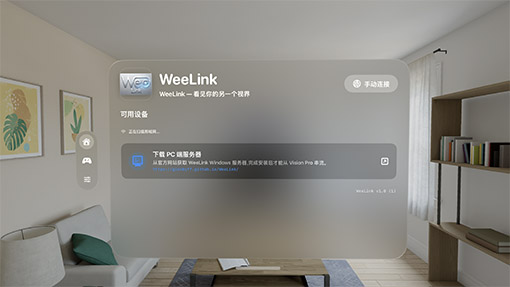
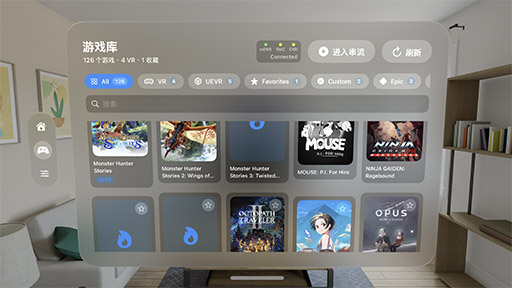
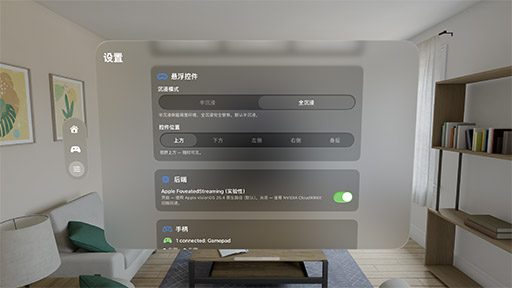
WeeLink coordinates CloudXR, game launch, desktop capture, pairing, hotkeys, and service state from a focused Windows app.
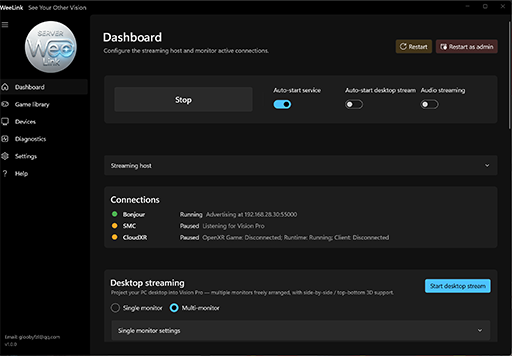
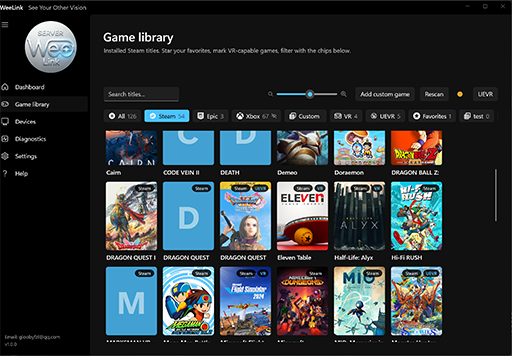
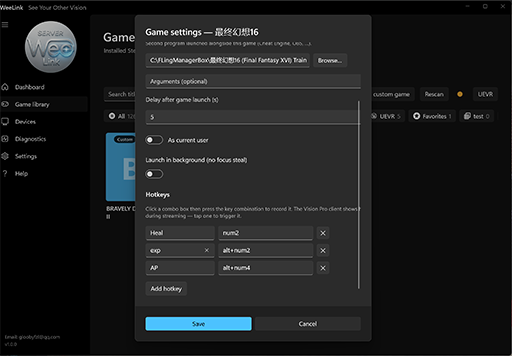
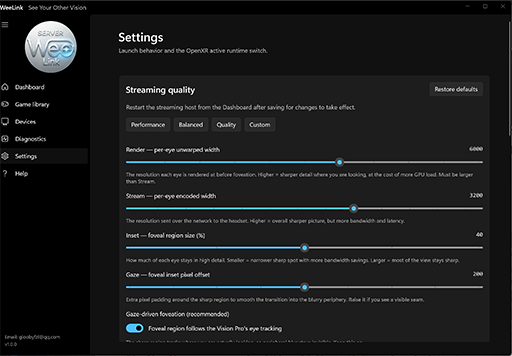
The connection model is designed for repeated use: start the server, put on Vision Pro, pick the target, and play.
The Windows host starts the streaming services and advertises itself over mDNS on the local network.
The client discovers the PC, completes the control handshake, and keeps future reconnects simple.
Use the headset to launch OpenXR VR, UEVR, 2D games, stereoscopic media, or a full multi-monitor desktop.
NVIDIA encoding and the visionOS client deliver the session while WeeLink manages handoff and recovery.
Install the server on the Windows gaming PC, then download the Vision Pro client from the App Store.

Self-contained Windows installer for the launcher, desktop capture path, and required runtime components.
Download Installer
visionOS client for pairing, game browsing, desktop controls, stream presets, and immersive playback.
Download on the App StoreWeeLink is built for a strong local network and an NVIDIA RTX PC running modern Windows and OpenXR content.
Need help with WeeLink setup, pairing, purchases, or streaming issues? Contact support and include enough detail for us to reproduce the problem.
We usually respond within 1-3 business days.
This page points to the current public installer. Windows may still show an Unknown Publisher warning until builds are code-signed. Confirm NVIDIA CloudXR redistribution rights before publishing widely.
More features in development.